
Add your recommendation
A presentation is your own note on one candidate. It appears at the top of their page in the Showcase.
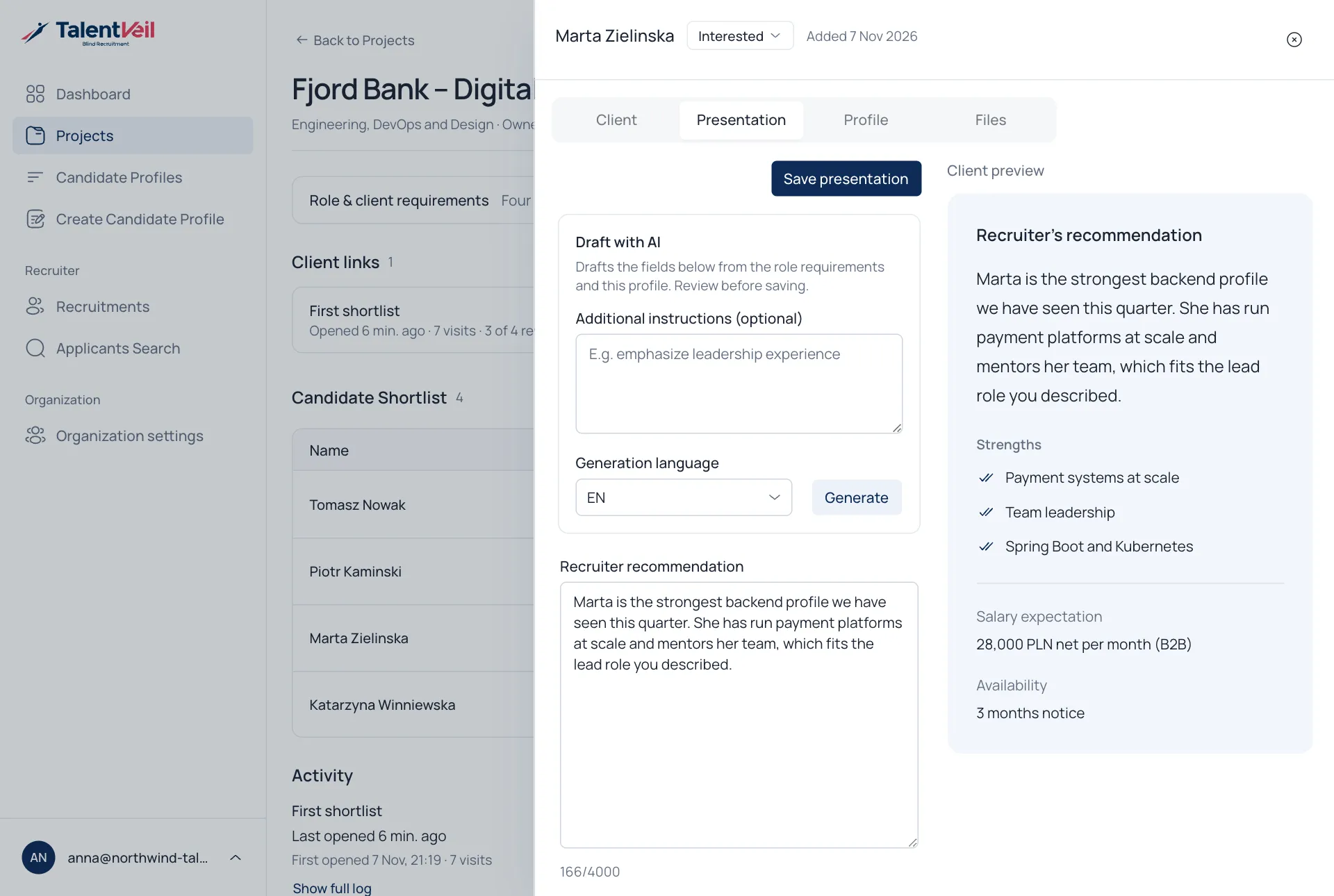
- Open the project and select a candidate.
- Open the Presentation tab.
- Fill in the fields.
- Select Save presentation.
| Field | Notes |
|---|---|
| Recruiter recommendation | Why this person fits the role. |
| Project-aligned strengths | A few short points. |
| Salary expectation | Optional. |
| Availability | Optional, for example the notice period. |
| Additional details | Add your own labelled fields. |
The preview on the right shows what the client will see.
Draft with AI
Section titled “Draft with AI”Select Generate to draft the fields from the role requirements and the profile. Read and edit the text before you save.