
Create a Blind CV
A Blind CV is a clean candidate profile without the details that identify the person. You can create one in a minute.
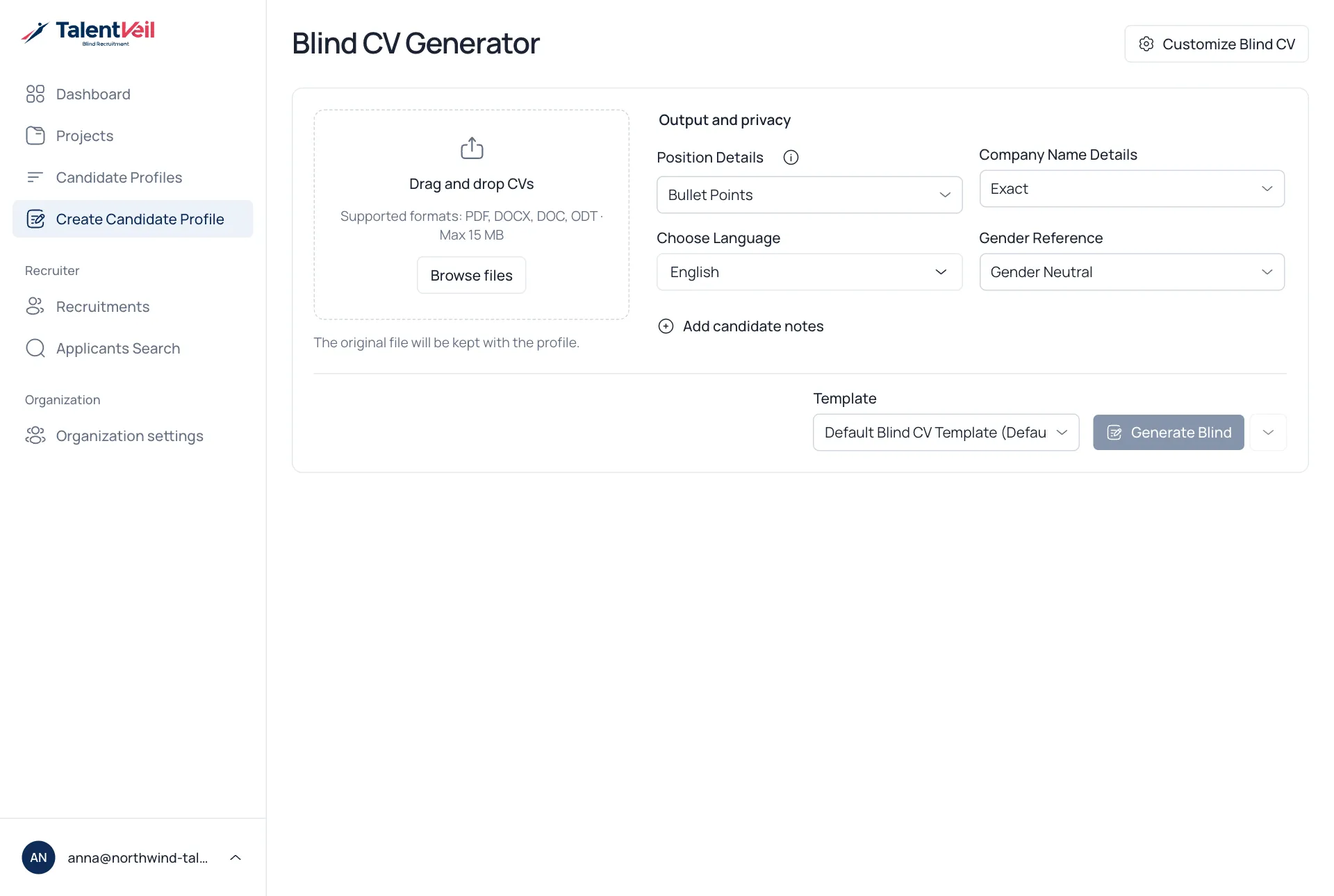
- Open Create Candidate Profile.
- Drop a CV on the upload area, or select Browse files. PDF, DOCX, DOC and ODT files up to 15 MB work.
- Check the options below.
- Select a Template.
- Select Generate Blind.
The profile opens on the same page. Select Open saved profile to edit it.
Options
Section titled “Options”| Option | What it does |
|---|---|
| Position details | How each role is written: Descriptive, Precise, Bullet Points or Impactful. |
| Company Name Details | Exact keeps the name, Industry shows only the industry, Brief gives a short description. |
| Choose Language | The language of the finished profile. The CV can be in another language. |
| Gender Reference | Male, Female, Gender Neutral or Auto. |
| Add candidate notes | Optional facts you know, such as availability. |
Always read the profile before you share it.