
Add candidates
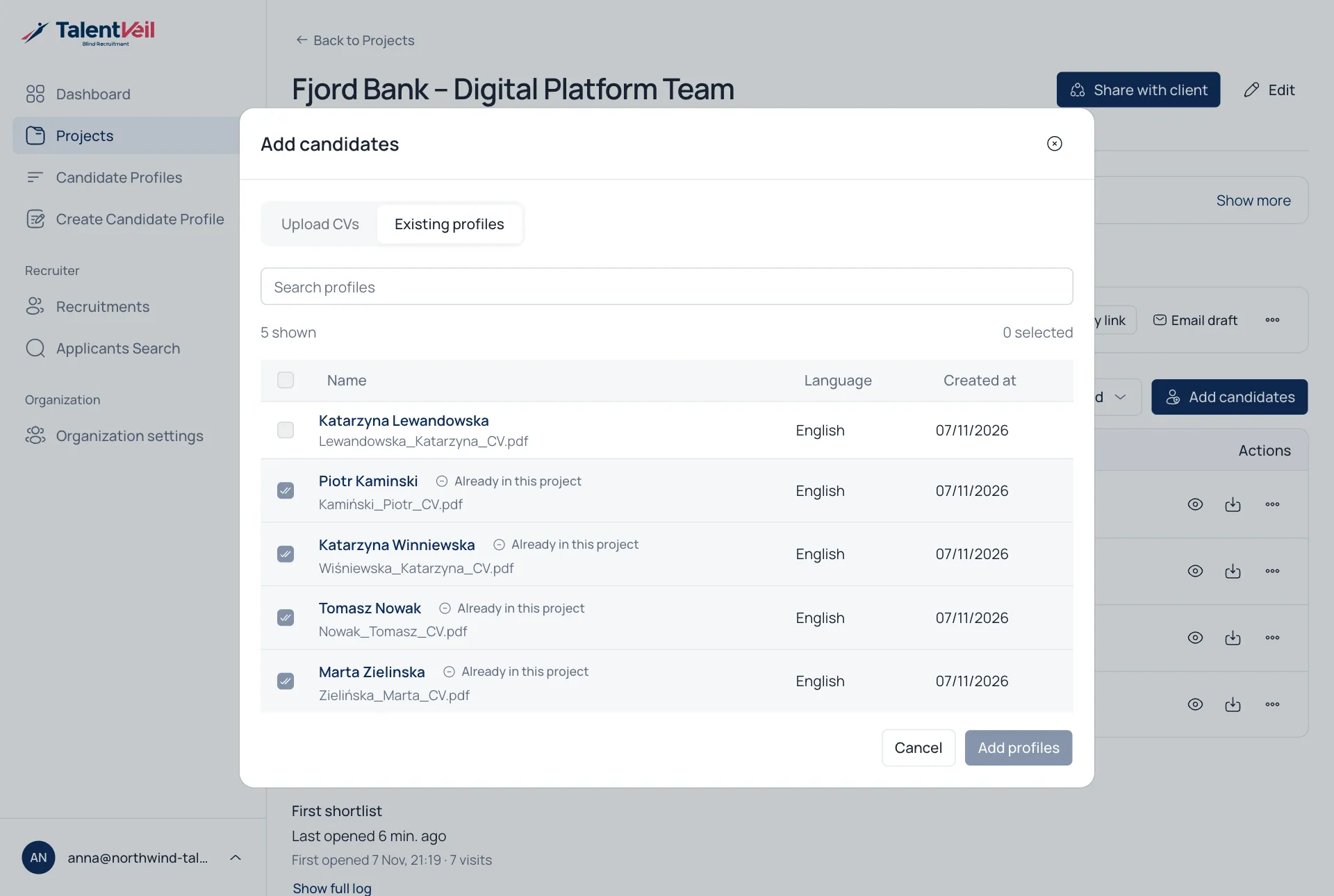
Open a project and select Add candidates.
Two ways to add
Section titled “Two ways to add”- Upload CVs creates new Blind CVs straight into the project. One line shows the template and language, and Change lets you adjust them.
- Existing profiles adds Blind CVs you already have. Profiles already in the project are marked.
Work with the shortlist
Section titled “Work with the shortlist”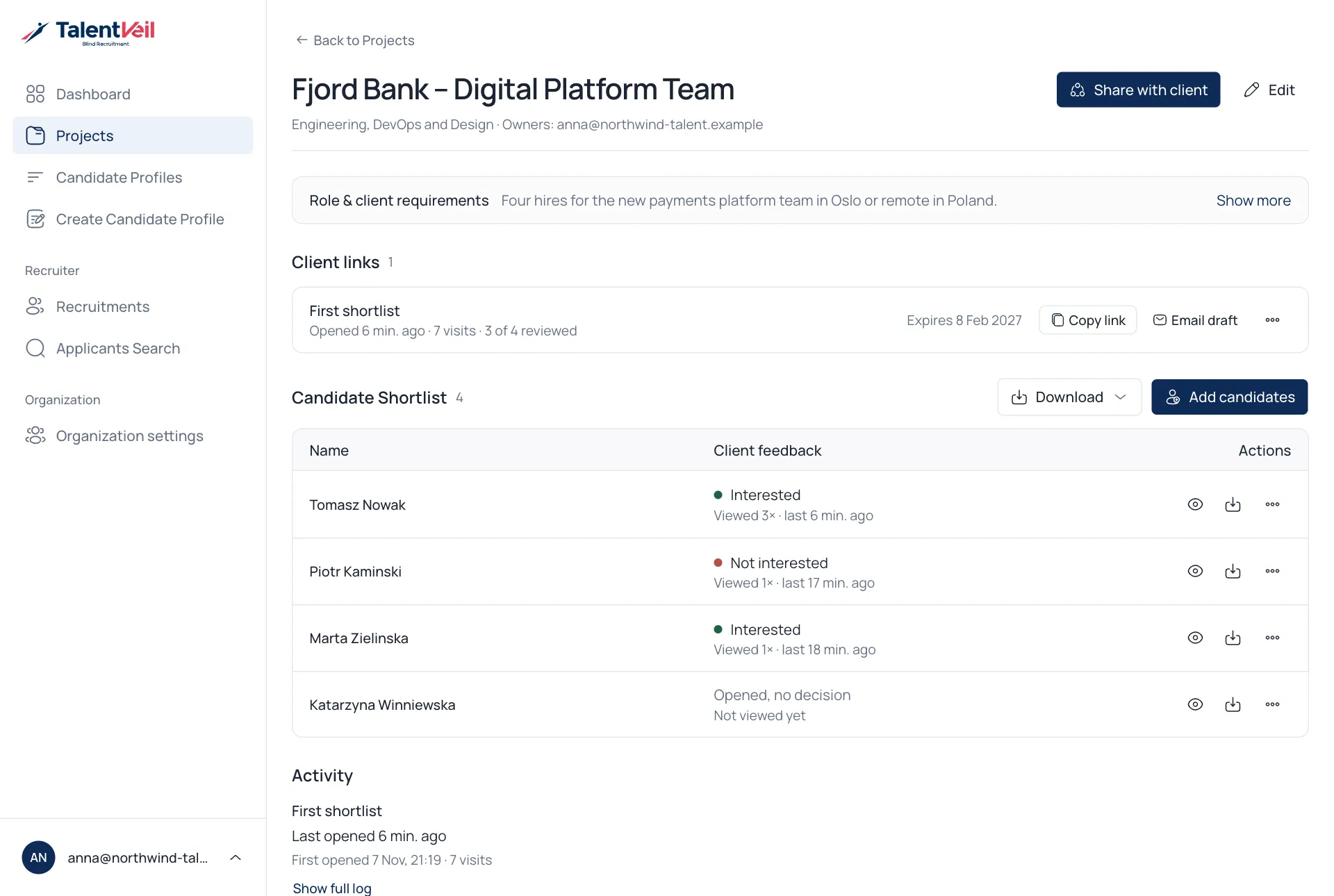
- Use the eye icon to preview a candidate.
- Use the ⋯ menu to Edit presentation, View Blind CV or Remove from Project.
- Use Download to get Profiles, Original CVs or Both.