
Templates
A template controls how the PDF looks. Your team can have several and pick one for each profile.
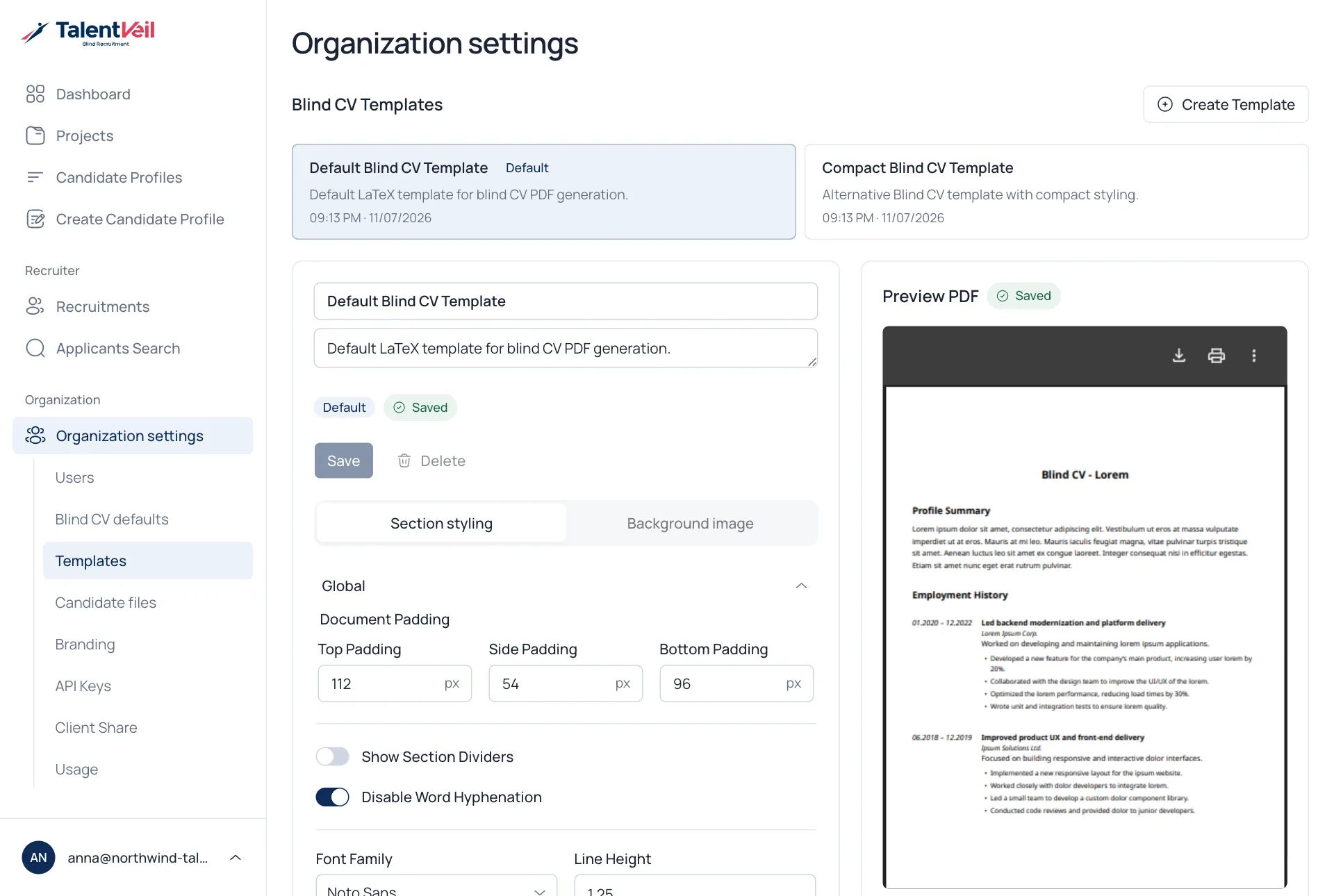
- Open Organization settings and select Templates.
- Pick a template, or select Create Template.
- Change the settings.
- Select Save.
What you can change
Section titled “What you can change”- Name and description, and which template is the Default.
- Section styling: page margins, dividers, font, line height, and the size, weight and colour of titles and text.
- Header: the document title and subtitle.
- Background image: your own artwork behind the page.
The preview updates as you work.