
Share with a client
A share link gives your client one page with the candidates you choose. They do not need an account.
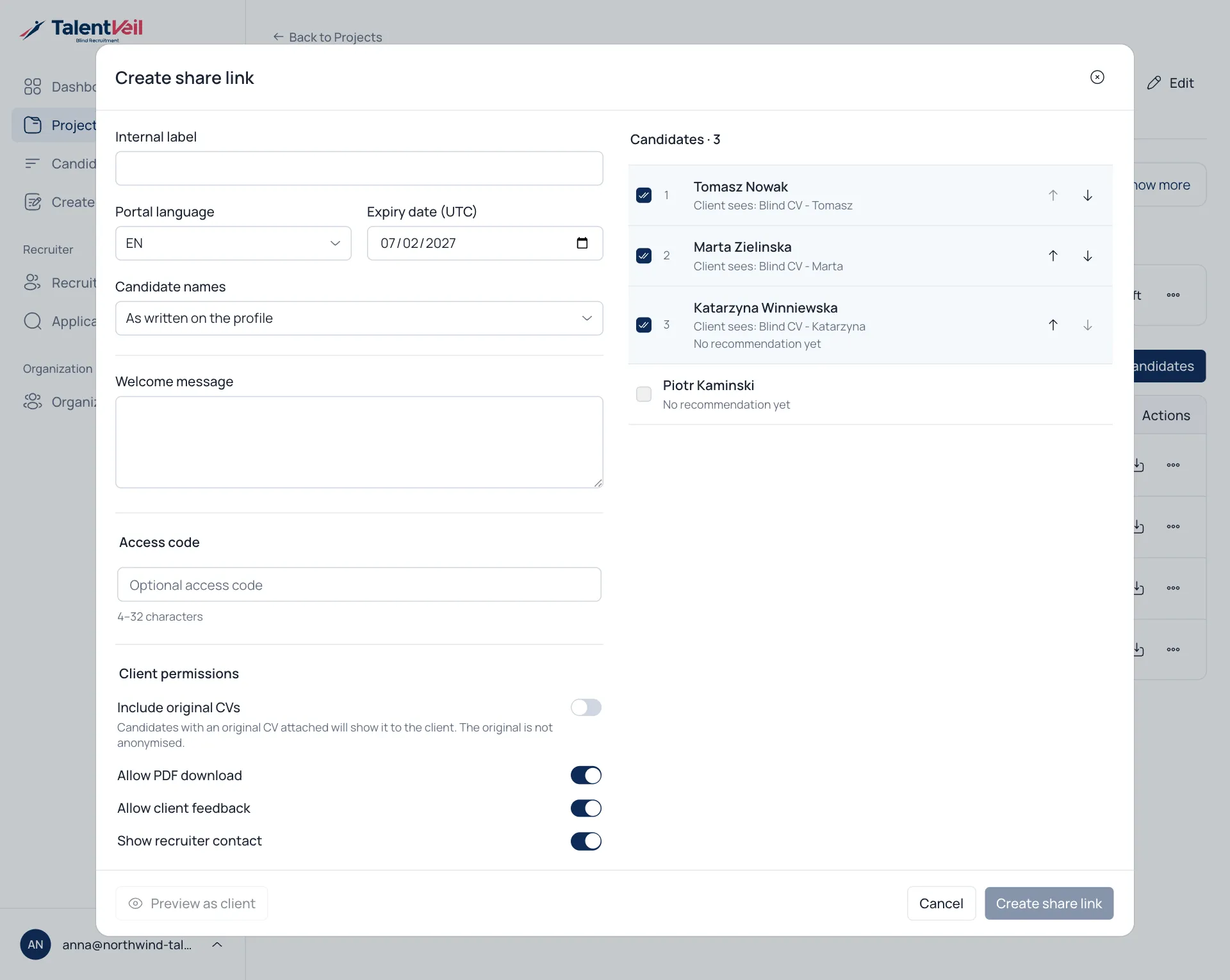
- Open the project and select Share with client.
- Choose the settings below.
- Select Create share link.
- Select Copy link or Open email draft.
Settings
Section titled “Settings”| Setting | Notes |
|---|---|
| Internal label | A name for you, for example First shortlist. The client does not see it. |
| Portal language | English, Polish, Spanish or German. |
| Expiry date | Optional. The link stops working after this day. |
| Candidate names | Show the name as written, the first name and initial, or Candidate 1. |
| Welcome message | A short note at the top of the page. |
| Access code | Optional. Send it to the client separately. |
| Client permissions | Allow PDF download, allow client feedback, show your contact details, include original CVs. |
| Candidates | Tick who to include and set the order. |
Select Preview as client to see the page before you send it.